Here is a cron line: 30 4 1,15 * 5. Read it the way most people do and you get “4:30 in the morning, on the 1st and 15th of the month.” That reading is wrong, or at least incomplete. The job also runs at 4:30 every single Friday, regardless of the date. Two fields that look like they narrow the schedule actually widen it, and nothing in the five numbers tells you that. This is why a cron expression in plain English is worth more than the cron itself, and it’s why we built a small tool to translate between the two. We just open-sourced it.
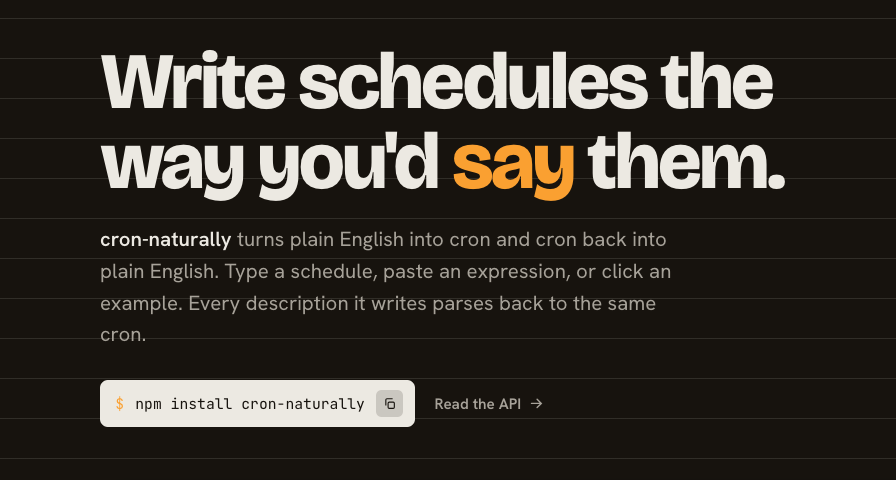
The tool is called cron-naturally. You type a schedule the way you’d say it out loud, “every weekday at 9am,” and get the cron back. Paste a cron and you get it broken down field by field, plus the next few run times. It’s MIT licensed, it has no runtime dependencies you have to think about, and it runs entirely in the browser. Before getting into why we gave it away, it’s worth being honest about why cron needs a translator at all.
Why cron expressions are so easy to get wrong
Cron is old. The scheduler dates back to AT&T Bell Labs in 1975, and the five-field format almost everyone uses today came from Paul Vixie’s rewrite in 1987. That’s a syntax close to forty years old, designed for a Unix prompt, never reworked for the people who now lean on it to run their business automations.
The format packs a lot into five space-separated fields: minute, hour, day of month, month, day of week. Each field accepts a bare number, a * wildcard, a , list, a - range, and a */n step. So */15 9-17 * * 1-5 means “every 15 minutes, between 9am and 5pm, Monday through Friday.” Nothing about the punctuation announces itself. The same asterisk that means “every minute” in field one means “every month” in field four, and you’re expected to track which position you’re reading by counting spaces.
There are quieter traps too. Day-of-week accepts both 0 and 7 for Sunday. A */n step that doesn’t divide evenly into the field’s range produces an uneven gap nobody intends. Months and weekdays accept three-letter names in some implementations and not others. Each of these is individually small. Stacked into one terse line with no labels, they add up to a format you cannot reliably read at a glance, even after years of writing it.
The day-of-month and day-of-week trap
The single worst offender is the one from the opening line. When both the day-of-month field and the day-of-week field are restricted, meaning neither is a plain *, cron does not require both to match. It runs when either matches. The crontab(5) man page states it directly: “If both fields are restricted (i.e., do not contain the * character), the command will be run when either field matches the current time.” Its own example is the one we started with: “30 4 1,15 * 5 would cause a command to be run at 4:30 am on the 1st and 15th of each month, plus every Friday.”
Most people read those two fields as an AND. Cron treats them as an OR. A schedule you think runs twice a month quietly runs eight or nine times a month, and it does so silently, because the job succeeds every time it fires. You only notice when something downstream gets touched more often than it should.
This is not an obscure footnote. The Healthchecks.io team, who run a cron-monitoring service, call it “a relatively well-known cron gotcha” and note an extra wrinkle: a field that merely starts with *, like */2, counts as unrestricted, which flips the logic back to AND. The behavior is subtle enough that the Quartz scheduler, one of the most widely used job schedulers in the Java world, refused to inherit it. Quartz makes you put a ? in one of the two fields and says plainly that “support for specifying both a day-of-week and a day-of-month value is not complete.” Two of the most popular cron implementations made opposite choices about the same two fields. That’s the clearest possible signal that the syntax is genuinely ambiguous, not just unfamiliar.
The cost of misreading a schedule isn’t theoretical. In one tracked n8n bug, a scheduling quirk caused workflows to register twice and fire on top of each other, and the reporter watched a “Redemption payment return” workflow execute twice per interval. A schedule that runs more often than you intended is the kind of mistake that touches real money, sends duplicate emails, or double-charges someone, and a five-character field is all it takes. It’s the same failure pattern we wrote about in why set-and-forget automations fail: the automation does exactly what it was told, and what it was told was wrong.
Reading a cron expression in plain English
The fix for all of this is boring and effective: never trust your own reading of a cron line. Translate it, break it down field by field, and check the next few run times against what you actually meant. That’s what cron-naturally does, and you can try it right here.
Type “every weekday at 9am” and you’ll watch it become 0 9 * * 1-5. Now paste 30 4 1,15 * 5. The translation comes back as “On the 1st and 15th of the month, or on Friday, at 4:30 AM,” and a highlighted Day rule: either callout spells out exactly why: both day fields are set, so cron fires when either one matches. You don’t have to infer the OR from the run times; the tool names it. And the next five runs back it up, with Fridays sitting right next to the 1st and the 15th in your timezone. The schedule you thought ran twice a month is firing every week too, and the tool makes that visible before you ever ship it. A reading you can scan is something you can verify; a row of asterisks is not.
We’re not the first to think cron should be readable. crontab.guru is the explainer most developers reach for, and the excellent cronstrue library, which turns cron into English, pulls roughly 2.7 million npm downloads a week. What cron-naturally adds is both directions in one small library: English to cron and cron to English, plus the next-run preview, with the whole thing small enough to run client-side. If you’ve wanted a single dependency that goes both ways, that gap is what we filled.
Why we pulled this out of Rills
cron-naturally didn’t start as an open-source project. We built it for Rills, where solopreneurs schedule automations without wanting a refresher on Vixie cron every time. Our schedule builder lets you write “every other Tuesday at noon” and handles the translation underneath. Once that translation layer was solid, keeping it locked inside our app made no sense. Scheduling is a problem every builder has, the logic is general, and a misread cron field is a bad way for anyone to lose an afternoon. So we extracted it, wrote a clean public API of five functions, added provenance-signed publishing, and put it on GitHub under MIT. There’s an interactive demo site if you’d rather poke at it than install it, and the same engine powers the free cron expression generator on our site if you want the full-page version of the widget above.
Open-sourcing the readability layer also keeps us honest about where the real product value sits. Translating a schedule is table stakes. What actually protects you is what happens after the schedule fires: whether a risky step waits for your sign-off, whether the run holds steady through daylight saving, whether you can see what’s about to happen before it does. Inside Rills, a cron only decides when a workflow wakes up. Steps you mark risky still pause for a quick approval from your phone before anything irreversible happens, and that waiting is free.
So take the tool. Star it, fork it, drop it into your own project, or just use it to sanity-check the next schedule you write. And if you’d rather your automations came with a safety net instead of a silent OR between two day fields, see how Rills works. Approvals are always free.
Keep reading
- AI Workflow Security Needs Bounded DecisionsA new classifier model shows why secure AI workflows need defined choices, deterministic checks, and human approval before consequential actions.
- AI Automation Oversight Needs More Than a System PromptA system prompt can steer an AI agent, but it cannot stop a risky tool call. OWASP and Anthropic both document why execution needs its own boundary.
- Which AI SDR Sends Need Human Approval, and Which Don'tGmail starts enforcing at a 0.3% spam rate and wants you under 0.1%. That ceiling decides which AI SDR sends get gated and which ones you let run.
Ready to automate your workflows?
AI proposes the action, you approve it, and the record shows who signed off.